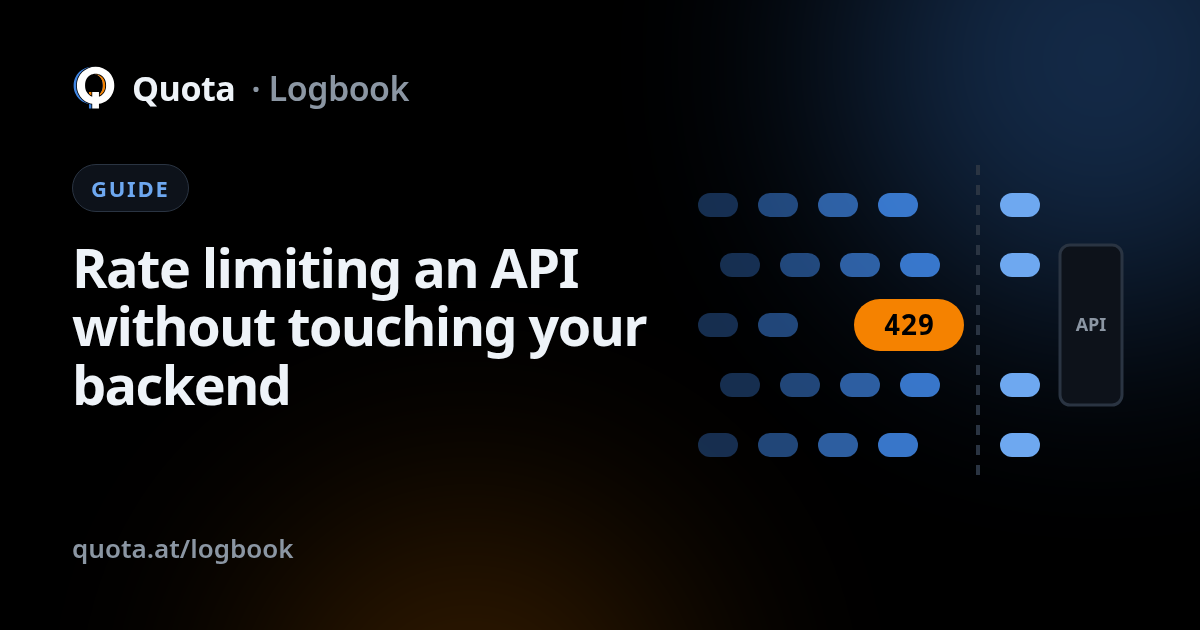
Rate limiting is the oldest defence an API has, and the one most often left for later. It answers a simple question: how many requests may this client send, to this endpoint, in this stretch of time, before the answer becomes "not now"? This guide covers the kinds of limit that exist, what a good refusal looks like, the mistakes that keep coming up, and why the place where you enforce limits matters as much as the numbers.
What a limit protects
A limit is not only about attackers. It protects three different things:
- Your backend, from more work than it can do. One runaway script should not slow the API down for everyone else.
- Your other users, from a single noisy client. Fairness is a feature: the hundredth customer deserves the same API as the first.
- Your bill, from endpoints that cost real money per call, such as sending email, running a search, or calling a paid third-party service.
Per client, per route, global
Limits differ mainly in what they count against. The usual three:
- Per client. Each client gets its own allowance, usually keyed by IP address, or by API key or account when requests are authenticated. This is what stops a single scraper or a stuck retry loop.
- Per route. Some endpoints deserve their own ceiling. A product listing
can take a lot of traffic; a login or password-reset endpoint should take very little.
Grouping routes by pattern helps here:
/users/42and/users/43are the same endpoint and should share a limit. - Global. A ceiling on the whole API, regardless of who is asking. It is the last line: it keeps the backend alive even when the traffic is spread across many clients, none of which crosses its own limit.
In practice you want all three, layered. Per-client limits handle the common case, per-route limits protect the sensitive endpoints, and the global ceiling handles the day when everything else was not enough.
Windows and bursts, in general
A limit is a number of requests over a window of time, and the shape of that window changes how it feels to clients. A fixed window resets on the clock, which is simple but lets a client send twice its allowance across the boundary between two windows. A sliding window looks back over the last stretch of time from now, which is smoother and fairer. A token bucket refills at a steady rate and lets a client spend saved-up tokens in a short burst.
The idea worth keeping from all of them: real clients are bursty. A page load fires a handful of requests at once, then nothing. A good limit allows a sustained rate plus a short burst on top, so that normal use never trips it and only sustained abuse does.
What a good 429 looks like
When a client crosses a limit, the standard answer is 429 Too Many Requests. The
status alone tells the client it was refused; the Retry-After header tells it
when it may try again, so a well-written client waits instead of hammering:
A few things make the difference between a refusal clients can live with and one they fight:
- Always send
Retry-After. In seconds is the simplest form to read. Without it, clients guess, and they usually guess "immediately". - Refuse fast. A rejection should cost almost nothing. A limit that makes the client wait for a timeout has protected nobody.
- Keep the body machine-readable. A stable error code lets the client's code tell "slow down" apart from "you are not allowed".
- Do not use 429 for everything. A request that is too large is a
413; a request that is forbidden is a403. Mixing them up makes clients retry things that will never succeed.
The mistakes that keep coming up
- The same limit for login and for reads. A limit generous enough for browsing a catalogue is a gift to anyone guessing passwords. Authentication, password reset, signup and anything that sends email need ceilings of their own, much lower than the rest.
- Counting only by IP. Many real users can share one address behind an office or mobile network, and one attacker can spread across many. IP is a good default for anonymous traffic; for authenticated traffic, the key or account is a better key.
- No global ceiling. Per-client limits do nothing against traffic spread thinly across thousands of addresses. Without a ceiling on the whole, the backend is still exposed.
- Limits nobody can see. If you cannot tell which clients hit a limit and on which route, you cannot tell a real attack from a limit set too low for a real customer.
- Setting it once and forgetting it. Traffic changes. A limit picked on launch day either chokes you on the day you grow or protects nothing a year later.
At the edge or in the app
Most frameworks have a rate-limiting middleware, and for a small project that is a fine start. It has three costs that grow with you. Every rejected request has already reached your server, so during a flood you are still paying for each one. The counters need to be shared once you run more than one instance, which means another piece of infrastructure to run. And changing a limit means changing code and deploying it, which is the last thing you want to do in the middle of an incident.
Enforcing limits at the edge, in front of the backend, removes all three. Refused requests never reach your server. The counting is already shared, because all the traffic passes through the same place. And a limit is a setting you change in a panel, not a deploy. Your application code stays about your application.
How Quota does it
With Quota the limits live on your node, in front of your API. Each plan comes with a
sustained rate per minute and a short burst on top, per client and per endpoint, plus a cap
on request size. The edge finds your routes on its own and groups them, so you set a ceiling
on /login or a whole branch like /admin/* without typing every
path. If you would rather not pick numbers, one switch lets the node set its own limits from
the shape of your traffic, and every automatic change can be undone. Refusals come back as a 429 with Retry-After.
The product page has the full list, the docs explain the response codes your clients will see, and pricing shows the limits of each plan.